
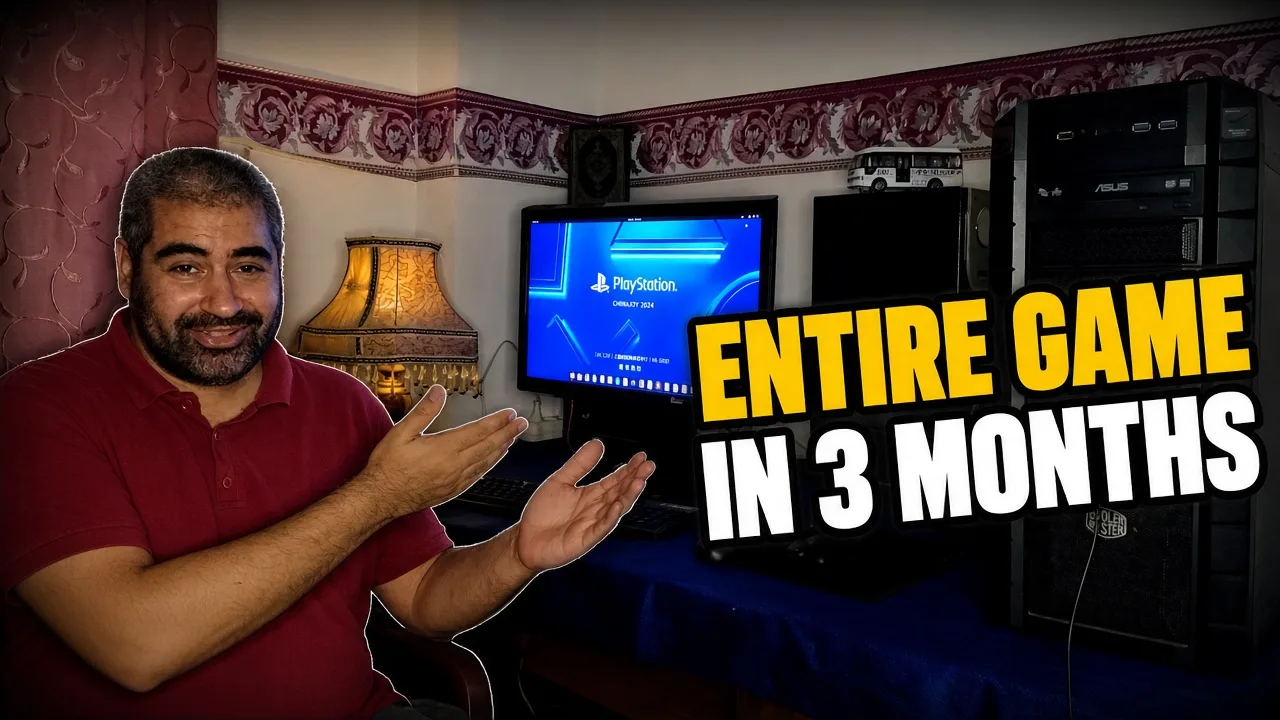

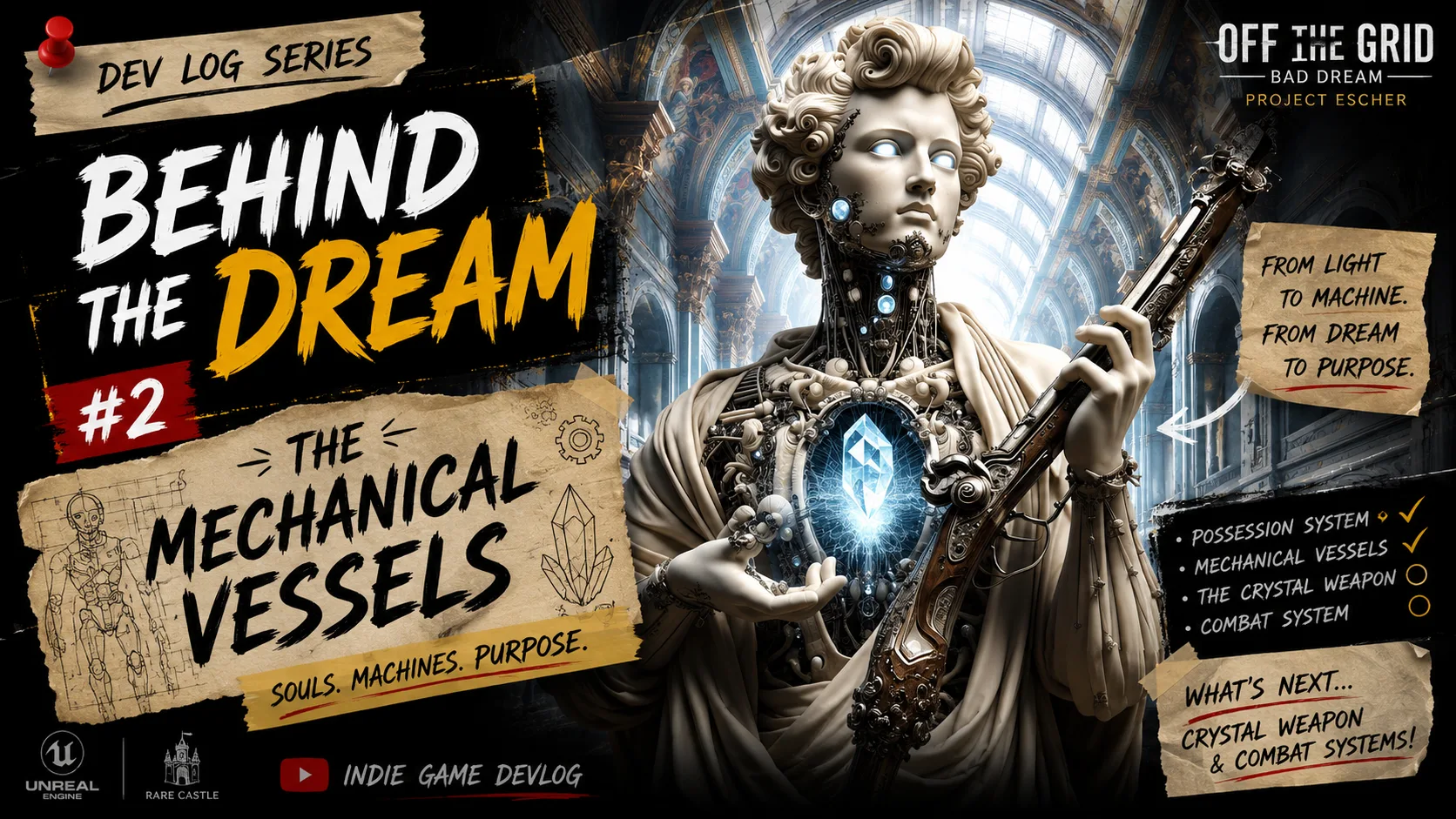
Watch Dev Diary #2
If you’d like to see the experiments, failures, breakthroughs, and the first in-game results for yourself, watch the full Dev Diary below.
If you enjoyed the episode, consider subscribing to the channel and sharing it with someone interested in indie game development or Unreal Engine.
And if you want to support Off The Grid: Bad Dream directly, you can wishlist the game on the PlayStation Store.
Every wishlist, share, and person who follows the project helps me keep building.
Thank you for being here.
August 18, 2026
Three months.
That’s roughly how much time I have before the second PlayStation MENA Hero Project submission deadline.
And after spending the previous three months building the adventure half of Off The Grid: Bad Dream, I’ve now reached the other side of the prototype.
The action and combat half.
And honestly…
it’s a little terrifying.
The Adventure Half Is Done. Now What?
If you’ve been following the project, you know that the first half of the prototype focused heavily on the adventure side of the game.
Exploration.
Dialogue.
Driving.
Traffic.
World building.
And a lot of systems that, when I look back at where I started, I honestly wasn’t sure I could build by myself.
But I did.
Along the way, Off The Grid: Bad Dream became a playable prototype, I became a PlayStation Partner, and the game eventually made its way onto the PlayStation Store, where players can now wishlist it.
That was a huge milestone for me.
But finishing the adventure half didn’t mean I was finished.
It meant I had reached the halfway point.
Now I have to build the other half.
And this one is packed with systems.
The Second Half Is… A Lot
The action side of Off The Grid: Bad Dream needs enemies, weapons, flintlock pistols, shooting, melee combat, physical interactions, and a completely different layer of animation and gameplay systems.
And then there’s the crystal.
The crystal is one of the game’s central mechanics. It allows the player to interact with the energy inside enemies.
You can purify that energy, potentially turning enemies into something friendly.
Or you can consume it to gain more power…
at the cost of becoming increasingly corrupted.
So, yeah.
There’s a lot to build.
And I still have to build the environments themselves, including the detailed Neoclassical and Baroque architecture that defines the world.
Looking at everything together, I had one very reasonable question:
How in the heavens am I going to build all of this by myself?
Then I remembered:
I’ve done this once already.
So I have to believe I can do it again.
And that’s where this new chapter begins.
An Old Flintlock System
Before starting completely from scratch, I remembered that one of the volunteers who had worked with me previously had created a very early version of a flintlock shooting system.
It wasn’t anywhere near the finished system I eventually need, but it was worth investigating.
There was just one problem.
The project had been created in Unreal Engine 5.6.
My current project is running on Unreal Engine 5.8.
Opening the project immediately gave me a collection of errors.
Fortunately, the source files only needed a few adjustments to get everything working in 5.8.
Once I fixed those, I could finally open the project and test the system.
But I didn’t want to simply copy it into my game.
I needed to understand it first.
Was it scalable?
Could I integrate it with the other systems I needed?
Could I build on top of it?
Or would I spend more time fighting the old system than I would spend rebuilding it myself?
While investigating, I noticed that the system depended on Unreal’s older animation framework.
And that reminded me of something I’d deliberately avoided during the first half of development.
GASP.
Going Back to GASP
GASP — the Game Animation Sample Project — had been on my radar for a while.
When I was building the first half of the prototype, however, it was still relatively new to me.
And honestly?
It looked intimidating.
There was motion matching, new animation concepts, unfamiliar systems, and a lot to learn.
At that point, I couldn’t afford to spend weeks experimenting with an animation framework I barely understood.
I needed to finish the adventure prototype.
But now I’m in a different position.
GASP 5.8 is much more mature, and after going back and researching it properly, I realized how much functionality it already provides.
Motion matching.
Bare-hand combat.
Tackling.
Ragdoll physics.
NPC look-at behavior.
And much more.
Suddenly, this didn’t look like something I should avoid.
It looked like something I should investigate seriously.
Then I Found GASPALS
While researching GASP, I discovered another project called GASPALS.
The name itself made me laugh.
GASP + ALS.
GASPALS.
But the project is actually pretty interesting.
It combines GASP with the Advanced Locomotion System and includes functionality for first-person and third-person movement, weapons, shooting, and other systems that could potentially save me a significant amount of development time.
There was, however, a big question mark.
GASPALS comes as a plugin.
And when I’m choosing the foundation for a major part of my game, I need to know how much control I actually have.
Can I modify it?
Can I scale it?
Can I build my own systems on top of it?
Or am I eventually going to hit a wall because the system wasn’t designed to be changed in the way I need?
There was another consideration too.
GASP 5.8 is the final release of GASP, while Unreal Engine 6 is moving toward the Unreal Animation Framework (UAF).
So suddenly I was looking at several possible paths.
GASP 5.8.
GASPALS.
Different GASPALS versions.
And eventually UAF.
Rather than guessing which one would be best, I decided to test them myself.
Starting With Vanilla GASP 5.8
I started with the original GASP 5.8 project.
My first goal was simple:
Get it working inside my own project.
That turned out to require a little more work than I expected.
Through trial and error, I figured out how to bring the relevant GASP content into my project, configure the required plugins and settings, and transfer the necessary physics, collision, and pose-search configuration.
One of those steps produced a particularly entertaining result when I initially missed the correct settings.
My character started stretching in ways that no human body should ever stretch.
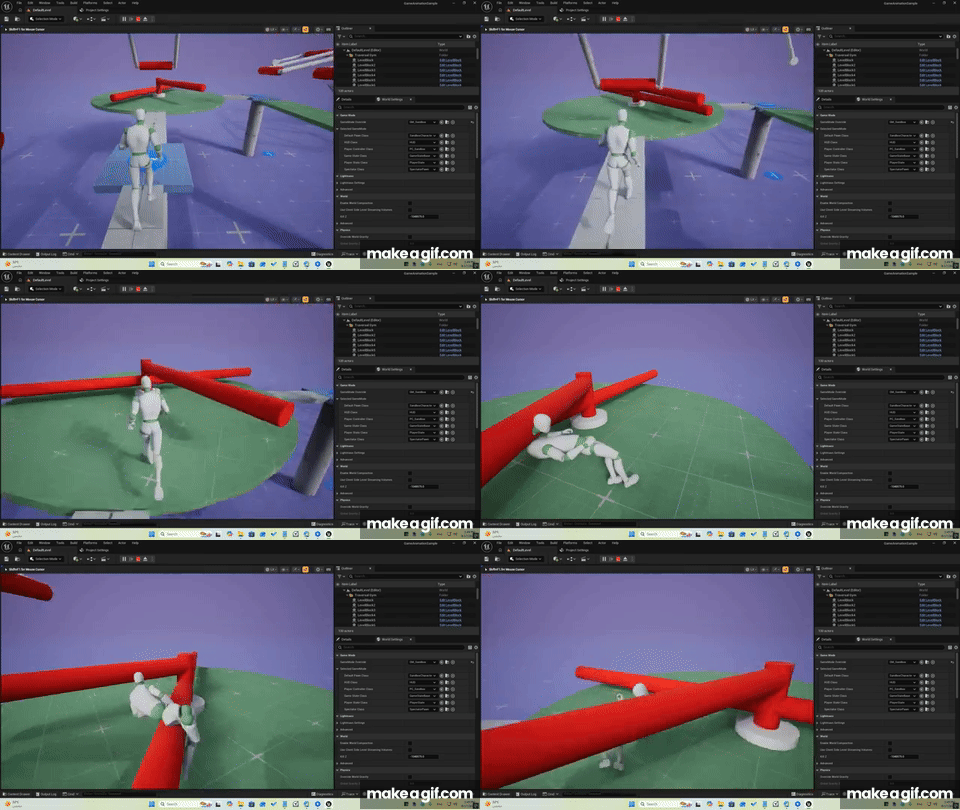
Not exactly the motion-matching demonstration I was hoping for.
But after fixing the configuration, everything started behaving properly.
GASP was finally running inside my project.
Now I wanted my own character.
Getting My MetaHuman Into GASP
I wanted to use my MetaHuman protagonist inside the GASP sandbox.
After figuring out how to add my character to the visual override system, I clicked on it.
It appeared.
Except…
it was in a T-pose.
No animation.
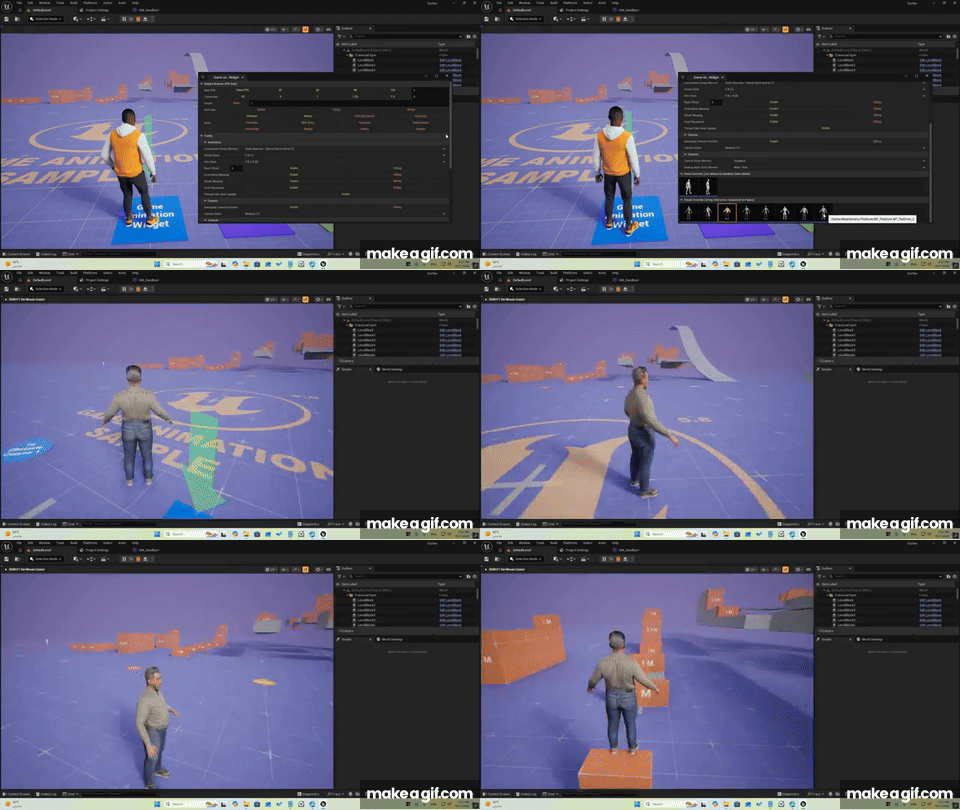
So the next question became:
How do I make my MetaHuman actually work with the GASP character system?
I found several approaches online.
Some involved duplicating existing GASP characters and replacing their components.
Others involved more complicated animation and rig-retargeting workflows.
I kept digging until I found a much cleaner solution.
By changing the appropriate animation setup, applying the correct retargeting tag, and adjusting the relevant tick groups, I was able to get my MetaHuman working with the GASP animation system.
And it worked.
That was a great little breakthrough.
But I still had another problem.
I didn’t want my character to work only inside a testing widget.
I needed it to work inside my actual game.
From the Sandbox Into the Game
The GASP sandbox is great for experimentation.
But I obviously can’t ship Off The Grid: Bad Dream with a widget where I manually select my character every time I want to play.
The characters need to work automatically.
After digging through the project, I found a much simpler way to use the existing visual override system.
I could use the sandbox mover character, assign my MetaHuman as the visual override, hide the original skeletal mesh, and let the system handle the rest.
And just like that…
my MetaHuman was running inside the actual game.
No character replacement surgery.
No complicated workaround.
Just the character I wanted, running on the system I was testing.
Now I wanted to push it further.
Can GASP Actually Handle Traversal?
One thing I wanted to know was how flexible the traversal system really was.
Could the character climb whatever I put into the environment?
Not exactly.
The default traversal setup expects specific objects with dedicated traversal logic.
That’s useful, but it wasn’t quite what I wanted for my game.
So I started looking for alternatives.
I found traversal modifications for older versions of Unreal Engine — including versions for 5.5 and 5.7.
Unfortunately, they didn’t work directly with 5.8.
So instead of giving up, I downloaded the relevant components and started studying the differences between the versions.
Fortunately, some of the changes were commented in the code.
That made it possible to understand what had actually changed between versions.
I then applied the necessary modifications to the original GASP 5.8 traversal components.
It took a lot of trial and error.
But eventually…
it worked.
With a small amount of setup, my character could now traverse much more freely.
Even the default Unreal Engine white cubes.
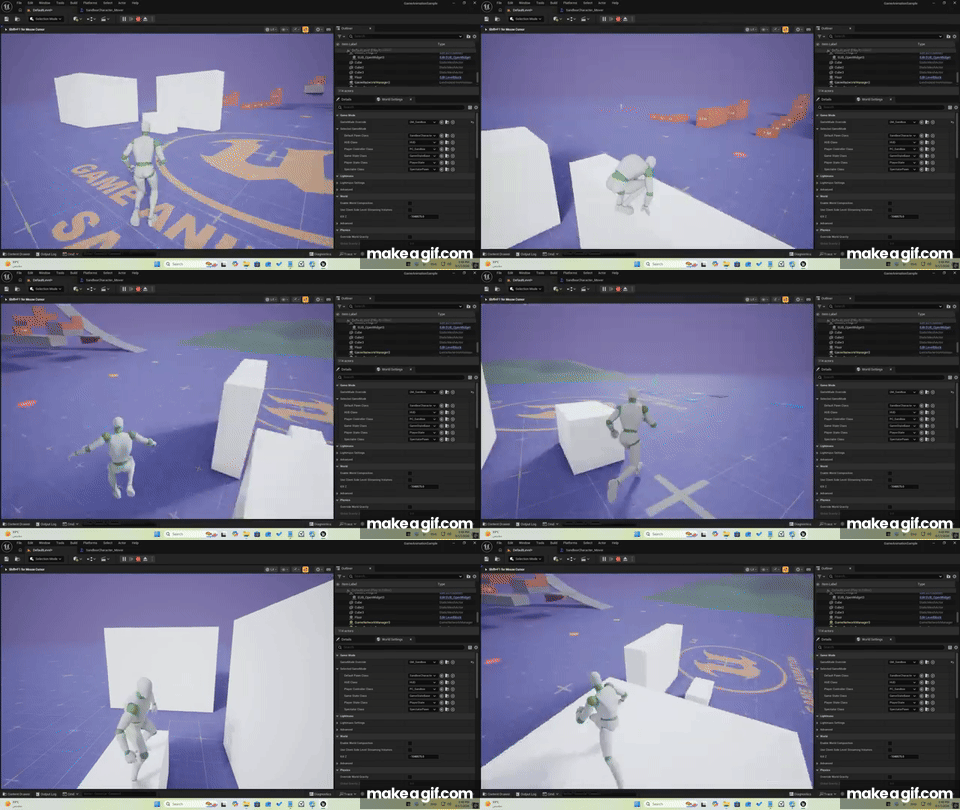
The humble white cube.
Finally fulfilling its destiny.
Teaching NPCs to Look at the Player
While exploring the GASP examples, I found another feature that immediately caught my attention.
NPCs could look toward the player while moving around them.
Even better, there was an example where an NPC could patrol while looking at the player.
That kind of behavior can make a huge difference in how alive a character feels.
The problem was that it was an isolated example.
I needed to integrate that logic into my own character and animation setup.
So I started digging through the animation blueprint and character blueprint, trying to understand how the example worked and how I could combine it with my existing system.
It wasn’t easy.
The first results were inconsistent.
The animations looked strange.
But after enough experimentation, I managed to get the behavior working for the NPC.
Then I got it working for the player.
Which meant…
the NPC and the player could now look at each other.
That was a surprisingly satisfying moment.
Making NPCs Look While Moving
Of course, once I had that working, I wanted to go one step further.
Could the NPC do it while walking?
I integrated the patrol behavior into my unified sandbox mover and ragdoll setup.
And immediately ran into another problem.
The NPC was moving…
but going nowhere.
It was basically walking on an invisible treadmill.
At first, I thought I was dealing with a root-motion issue.
I wasn’t.
After more research, I discovered that I was using the older Play Montage node.
The newer Mover-compatible Play Montage node was required.
I changed it.
And suddenly…
the NPC was moving properly.
Walking.
Running.
Looking at the player.
Now the whole thing started feeling much more natural.
The First Test Inside Project Escher
At this point, I wanted to see what all of this would actually look like inside Off The Grid: Bad Dream.
But I had to be careful.
The existing gameplay systems were built around my previous character setup.
Replacing that foundation completely could mean rewriting a lot of existing gameplay logic.
And I wasn’t ready to commit to that before testing GASPALS and the other alternatives.
So I did a quick integration.
Just enough to see the potential.
And the result was surprisingly encouraging.
The movement felt much smoother and more natural.
The characters could look at each other.
I could punch the NPC.
Tackle it.
Push it.
I could climb onto a bus.
I could climb onto a truck.
And suddenly, I could see the foundation of the action side of the game starting to take shape.
Of course, not everything worked.
For example, the NPC didn’t properly ragdoll when hit by a moving vehicle.
That’s another problem for another day.
But that’s exactly why I was doing these experiments.
I wasn’t trying to finish the combat system.
I was trying to figure out which foundation I should build it on.
What Did I Learn?
After all these experiments, my first impression of vanilla GASP 5.8 is very positive.
There is a surprising amount that can be built on top of it.
It’s not a complete combat system that I can simply drop into the game and call finished.
I’ll still need to build the actual weapon system, enemy logic, combat mechanics, crystal mechanics, and plenty of game-specific functionality myself.
But as a foundation?
It looks scalable.
And scalability is exactly what I need.
I don’t want to build something that only works for the prototype.
I want an animation and movement foundation that can continue growing with the game.
The Decision Isn’t Made Yet
Despite all that progress, I’m not ready to make the final decision.
I still need to properly investigate GASPALS.
I need to understand its plugin architecture, how much freedom I have to modify it, how easily I can integrate it into my existing project, and whether its additional functionality is worth building around.
And then there’s UAF, waiting somewhere in the future.
So right now, I’m standing at a crossroads.
GASP.
GASPALS.
Or eventually UAF.
Before I start building the rest of the action prototype, I need to make the right decision.
Because discovering halfway through development that your entire foundation needs to change…
is probably not the kind of surprise I want.
Still Here… The Journey Continues
Three years ago, I quit my job to try to build a game.
Today, I’m still here.
Still learning.
Still experimenting.
Still breaking things.
Still fixing things.
And apparently…
still making Unreal Engine characters stretch in completely unnatural ways.
But that’s part of the journey.
The second half of the prototype has officially begun.
I don’t have the finished weapon system yet.
I don’t have the complete enemy system.
I don’t have the final combat mechanics.
And I haven’t even decided which animation foundation I’m going to build everything on.
But for the first time…
I can see the pieces starting to come together.
And that’s enough to keep going.
The journey continues.
— Mohamed Fawzy
Rare Castle
We Make Healing Games

0 Comments